Screenshots


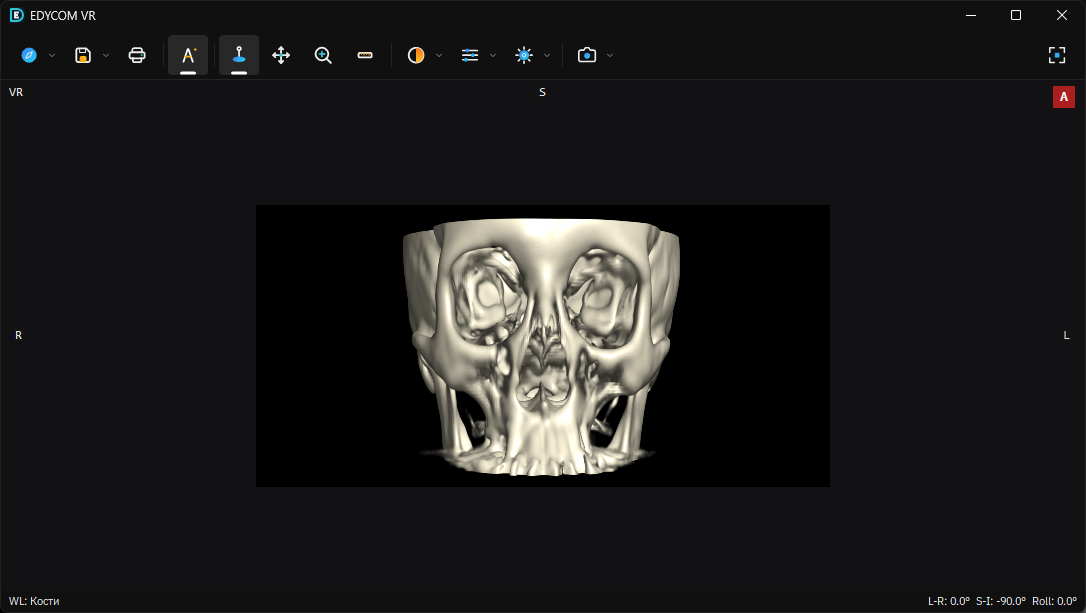
EDYCOM is a native DICOM viewer for Windows (CT, MR and more): series, measurements, CINE scrolling, window presets, MPR with crosshair, 3D VR, PACS (C-ECHO/C-FIND/C-GET) and STL export — in one lightweight app.
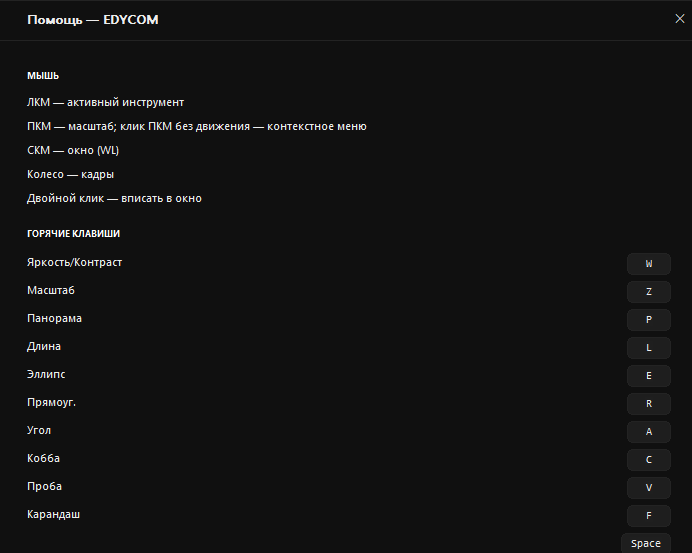
| Left button | Adjust window (WL/WW) |
| Right button | Zoom |
| Middle button | Pan |
| Mouse wheel | Previous / next slice |
| Double click | Fit image to window |
| PgDn / PgUp | Scroll slices |
| O | Open files / folder |
| Enter | Fullscreen |
| Esc | Exit fullscreen |
| X | Crosshair on / off |
| M | Hide measurements |
| W | Window / level tool |
| Z | Zoom tool |
| P | Pan tool |
| L | Length |
| A | Angle |
| C | Cobb angle |
| E | Ellipse ROI |
| R | Rectangle ROI |
| V | Probe (pixel value) |
Scroll the series like a movie: mouse wheel or PgDn/PgUp; speed is adjustable from the toolbar.
Menu «PACS»: server address, port (104), called AET (ORTHANC). «Check» = C-ECHO, «Find» = C-FIND, «Download» = C-GET straight into the viewer. Fields come pre-filled for a local Orthanc (127.0.0.1:104).
Yes. EDYCOM is distributed as a freeware viewer for clinical review and education.
DICOM (uncompressed and JPEG-compressed), plain folders with series, ZIP archives.
No. EDYCOM has no network services and sends nothing anywhere. PACS features talk only to the server you enter.
Any 64-bit Windows 7 or newer with DirectX 11. No .NET, no runtime installs.
You don't. Unpack the ZIP and run EDYCOM.exe.